Creating a behaviour
A system is represented in VCC by describing its behaviour. I will now show how to model a very simple system that doubles and outputs any number that it receives.
To create a new behaviour, click file/new... in VCC then choose behaviour. A blank canvas will appear. Now save the behaviour by clicking file/save as... and specifying an appropriate library and cell name. This example can be found in /tutorial_2002/double.
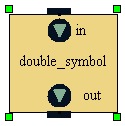
The Double block
We must now add some blocks to the behaviour which will describe the system. Each block should represent a specific part of the system. To create a block, click behaviour/block and draw a block onto the blank bahaviour. Next, types a name that descirbes the block (double in this case).
The double block needs to receive and output integers, so we must add an input and output port of type integer. To do this, click behaviour/add port and click on the edge of the block. Now type a name for the port. To set the type of messages that can pass through the port and whether the port is and input or output port, right click on the port and choose properties. Once the block is complete, select it and click behaviour/generate symbol and supply and appropriate cell name.
We need another block that will supply messages to the double block when the simulation is run. Create another block called integer_source that has one output port of type integer. Now link the output port of integer_source to the input port of double by clicking behaviour/wire and drawing a wire between them. The behaviour is now complete, so save the changes (file/save).
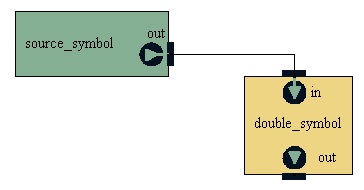
The complete behaviour