


2 Building Applications
Units and compounds are analogous to files and directories. In the above example, it was assumed that all source files were in the directory from which you invoked MLWorks, and the issue of compounds never came into question.
But suppose instead that zval.sml is in a subdirectory values of that directory. If you now choose File > Read Dependencies and select zval.sml in the file selection dialog, the corresponding unit shows up as values.zval. Because it has been placed in a subdirectory values of the top-level directory that all the other files are in, MLWorks considers the unit zval to be in a compound called values.
If xval, a top-level unit, still wants to require values.zval, the require statement must be changed:
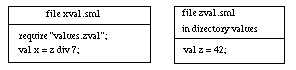
Figure 2.7 New require statement for xval.sml.
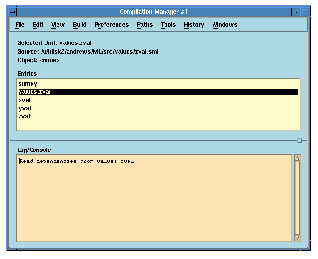
Figure 2.8 Compilation manager showing unit values.zval.
Generated with Harlequin WebMaker