


2.3 Basic use of the MLWorks project system
2.3.5 Compiling the target sources into object files
We are now ready to compile the target source, sumxy.sml, and all its dependencies into object files. Select Project > Compile Target Sources. The Log/Console shows us line by line what it occurring. When all the target sources have been compiled they are displayed in the list of files. Select sumxy from this list.
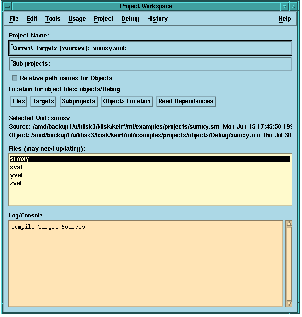
Figure 2.7 The compiled target source files.
The middle third of the project workspace gives us information on the selected unit, and consists of four parts:
- Selected Unit
This area shows the name of the unit selected in the file list, and also indicates if the unit is loaded (see Section 2.3.6, "Loading code into the environment") and visible.
- Source
This area shows the full path name and filename of the target source file (
.smlfile) for the unit, together with its date stamp.- Object
This shows the full path name and filename for the unit's object file (
.mofile), together with its date stamp.- Files
This text area shows the names of all the units which were compiled in the process of compiling the target source files.