


1 Using MLWorks interactively
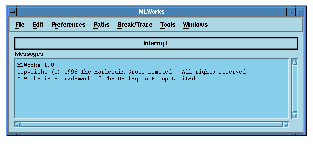
Figure 1.1 The MLWorks podium.
When you start MLWorks, it draws the podium or console window on your screen. This window provides a number of menus and has a pane for printing important system messages. You cannot type ML expressions into the podium. To do that you will need a listener, an MLWorks programming tool that is explained in Section 1.4. You can create listeners and other tools from the Tools menu of this or any other MLWorks window.
The podium will be present throughout your MLWorks session; closing the podium with the File > Exit menu item exits MLWorks.
Note: If you are running MLWorks in teletype mode (by passing -tty to mlworks on start-up) you can exit with the function Shell.exit, which is available by default in the interactive MLWorks environment. It takes an integer argument, which it returns.
Generated with Harlequin WebMaker