


2.3 Basic use of the MLWorks project system
2.3.3 Adding target source files
Now that we have set the source path of the project we need to specify the target source files. These are the top-level .sml files that contain the ML code to be compiled. In this example we use the files xval.sml, zval.sml, yval.sml and sumxy.sml as described in Section 2.2. They can be found in the examples/projects directory in the MLWorks installation directory. In our example, only one target source file needs to be specified, namely sumxy.sml. Click on Targets to call up the "Project Properties - Targets" dialog.
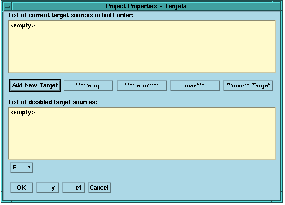
Figure 2.5 Project Properties - Target Sources.
Click on Add New Target and select sumxy.sml from the list of files in the examples/projects directory.
The target source dialog allows you to move selected target sources up and down the list, which varies the order in which they are compiled. For compilation purposes it is also possible to disable the compilation of specific target sources by selecting them and clicking on Disable. Disabled target sources are shown in the list of disabled targets, and when selected can be enabled by clicking on Enable.
Click on OK. The target source file sumxy.sml is visible in the current target field of the project workspace as the current program.